エラートラッキング
Web アプリケーション内のエラーを、大局的にも細部まで把握できます。OpenReplay を使用すると、完全なコンテキストでトラブルシューティングでき、問題をより迅速に解決できます。
さまざまなビューでのエラートラッキングのインサイト
Section titled さまざまなビューでのエラートラッキングのインサイトセッションビューから
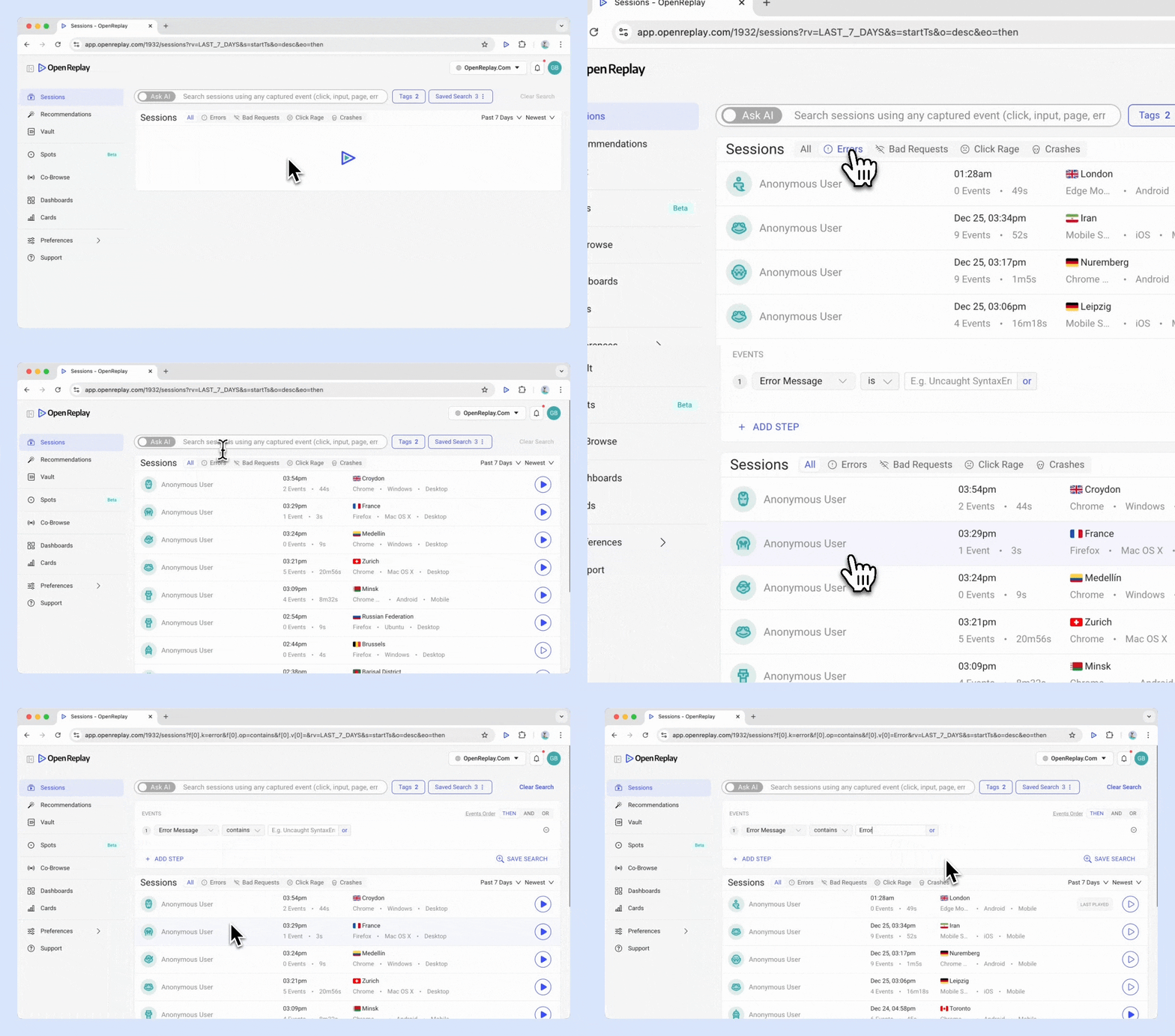
Section titled セッションビューから- セッションビュー > Errors タブに移動します
- Omnisearch を使用する: イベント “Error Message” を選択し、特定のエラーメッセージを入力します。
単一のセッション内
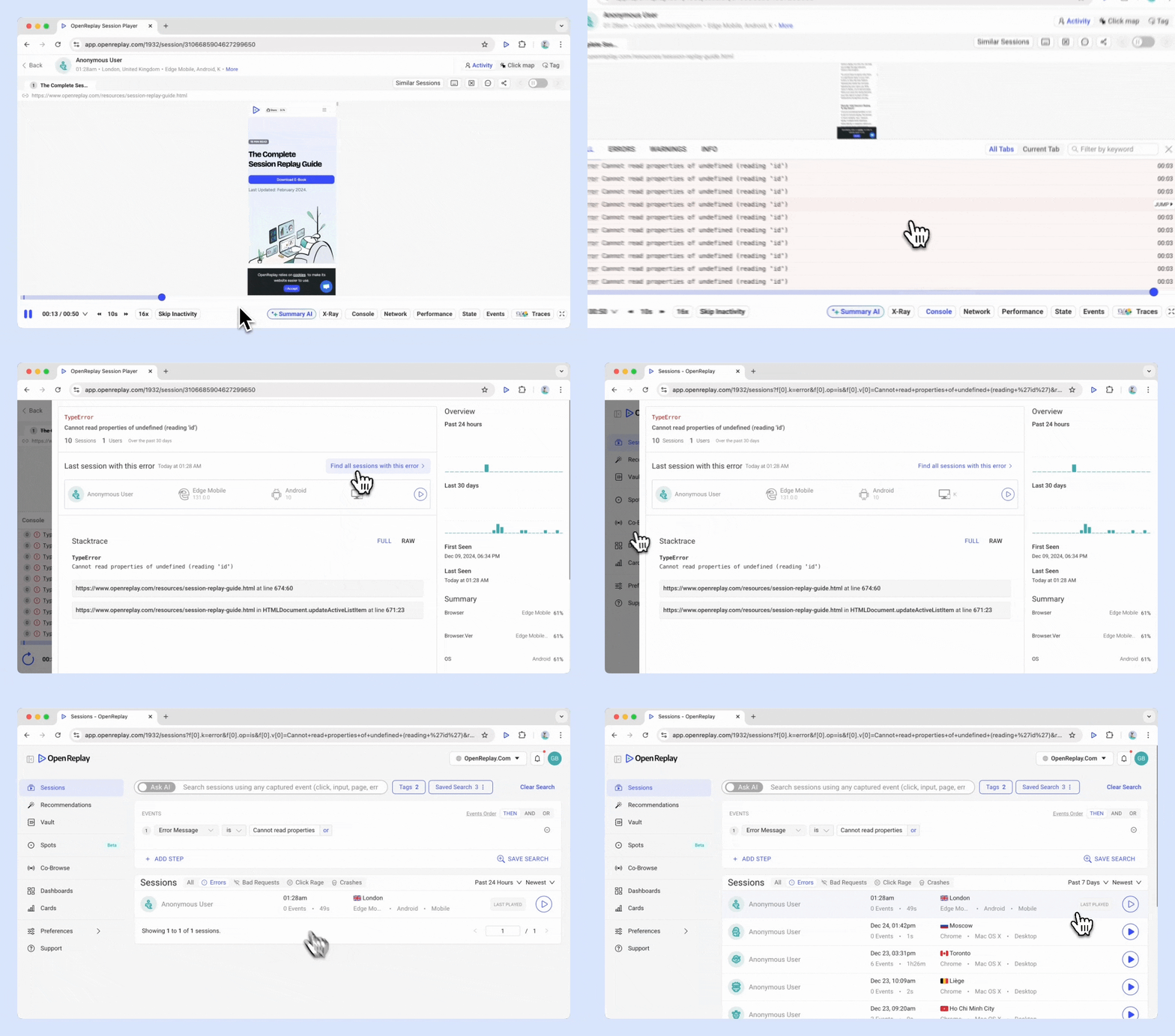
Section titled 単一のセッション内- Console > Errors Tab に移動します
- エラーを開いて、完全なソースマップを表示します。
- “Find all sessions with this error” をクリックして、そのエラーが発生したセッションの一覧を確認します。
Cards ビューから
Section titled Cards ビューから- Cards > Add Card > Monitors に移動します
- Table of Errors カードを選択します
例外の手動ログ記録
Section titled 例外の手動ログ記録OpenReplay トラッカーは、3 種類のエラーのログ記録をサポートしています。
- 捕捉された例外 - Error
- 拒否された Promise - PromiseRejectionEvent
- エラーイベント(onError) - ErrorEvent
これらはすべて、次の 1 つのメソッドで報告できます。
tracker.handleError(error, metaObject); // metaObject is optional and is a flat objectそれぞれの種類のエラーの例を見ていきましょう。
捕捉された例外(Error)
Section titled 捕捉された例外(Error)デフォルトでは、捕捉された例外は「Console」タブにログ記録されません。エラーを報告するには、次のパターンを使用します。
try {
    // application code
} catch (err) {
    // application code that handles the error
    tracker.handleError(err, metaObject); // metaObject is optional and is a flat object
}
拒否された Promise(PromiseRejectionEvent)
Section titled 拒否された Promise(PromiseRejectionEvent)Promise が拒否され、OpenReplay に報告する必要がある場合は、次の方法を使用します。
function myFunc() {
    doSomeAsyncStuff()
        .then((result) => {
            // application code
        })
        .catch(promiseRejectionErr => {
            // application code to handle the error
            tracker.handleError(promiseRejectionErr, metaObject); // metaObject is optional and is a flat object
        });
}
onError(ErrorEvent)
Section titled onError(ErrorEvent)<img> 要素の読み込みに失敗した場合など、イベントによってトリガーされるエラーを報告します。
<img id="myImg" src="image.gif">
<p id="demo"></p>

<script>
document.getElementById("myImg").addEventListener("error", myFunction);

function myFunction(errorEvent) {
    document.getElementById("demo").innerHTML = "The image could not be loaded.";
    tracker.handleError(errorEvent, { context: "demo" });
}
</script>
ご質問はありますか?
Section titled ご質問はありますか?この手順についてご不明な点がございましたら、お気軽に Slack までお問い合わせください。